Crimson Desert PC Performance Updates: Optimize Your Ultimate RPG Setup
Pearl Abyss has officially taken the gaming world by storm with the release of its massive open-world epic, Crimson Desert. As players step into the rugged, beautiful continent of Pywel, they encounter an incredibly detailed ecosystem filled with photorealistic environments, complex physics engines, and intense, fast-paced combat mechanics. However, driving a next-generation title of this scale requires an immense amount of processing power, making the latest Crimson Desert PC performance updates a massive talking point for the community.
For dedicated PC gamers, maximizing your framerate while maintaining stunning visual fidelity is the ultimate goal. The developers have been actively rolling out optimization patches to smooth out performance across a wider range of hardware configurations, addressing initial launch hiccups such as stuttering and sudden frame drops during intense city battles. Let us dive directly into the technical adjustments, software optimizations, and hardware configurations you need to implement to experience this masterpiece exactly how the creators intended.
Balancing Advanced Graphics Settings and Upscaling Technology
Achieving a stable sixty frames per second in an open world this dense requires a smart approach to your in-game settings menu. The recent Crimson Desert PC performance updates have significantly improved the engine's interaction with modern upscaling technologies. If you are running an NVIDIA RTX card or an AMD Radeon equivalent, enabling DLSS or FSR is the single most effective way to claw back precious frames without sacrificing crisp texture quality. Setting the upscaling mode to "Quality" offers a massive performance boost while keeping the sprawling vistas of Pywel looking incredibly sharp.
Beyond upscaling, certain sub-settings impose a heavy tax on your CPU and GPU. Lowering global illumination, shadow quality, and dense crowd simulation by just one notch can drastically stabilize your framerate during chaotic combat sequences. The latest patches have specifically optimized these performance-heavy elements, giving players much finer control over their hardware boundaries and ensuring smoother gameplay transitions between exploration and action.
Operating System Optimization and Background Resource Management
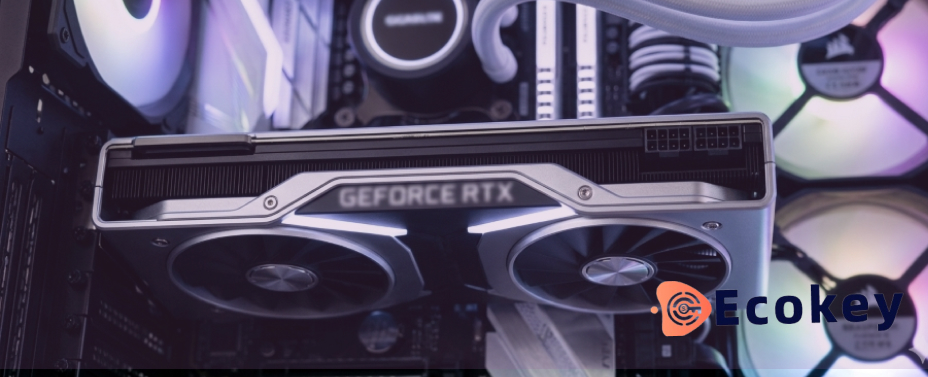
While tweaking your in-game options is a fantastic starting point, your underlying system software plays a massive role in how smoothly the game operates. A cluttered operating system or outdated background drivers can introduce subtle micro-stuttering, completely ruining your immersion in the game's cinematic story. Ensuring that your Windows environment is fully updated and running in a dedicated "Game Mode" allows your computer to channel every single ounce of its processing power directly into the engine.
Proactively managing your system storage is another critical step highlighted in recent community performance guides. Running a heavy, texture-dense RPG like this on an older mechanical hard drive will cause severe asset streaming issues and lengthy loading screens. Installing the game on a high-speed solid-state drive (SSD) ensures that massive castles and seamless landscapes load instantaneously, allowing the game's engine to utilize your system memory far more efficiently.
Smart Budget Management For Premium Gaming Ecosystems
Diving headfirst into next-generation gaming is an exhilarating experience, but it serves as a great reminder of how important a well-balanced tech budget truly is. When a single game demands top-tier hardware specs to run at maximum settings, smart players know they need to stretch their finances as far as possible. Maximizing your hardware capabilities does not mean you have to pay premium prices across the board for your entire setup.
By finding legitimate, highly affordable avenues to secure your essential system software, like genuine, budget-friendly operating system activation keys and productivity tools, you instantly free up valuable capital. That saved money can be redirected precisely where it matters most for your gaming experience: a faster graphics card, a more robust processor, or an upgraded cooling system. Balancing your software and hardware budget effectively ensures your rig is completely prepared for any demanding title that drops in the future.
Upgrade Your System Performance and Explore Our Store
Are you ready to optimize your operating system and prepare your PC setup for the ultimate open-world journey? We are entirely focused on providing reliable, highly cost-effective digital keys that help you unleash the full potential of your gaming hardware. You can discover more about our team and our commitment to affordable gaming by reading our About Us story today.
If you are eager to learn how quickly and securely we deliver authentic software licenses directly to your inbox, take a closer look at our comprehensive guide on How Our Service Works. For customized assistance regarding software configurations, volume keys, or setting up a clean operating system install, feel free to reach out to our team via our official Contact Us page. Keep your system running flawlessly, avoid retail markups, and build your dream gaming setup today!
To read an in-depth technical analysis and comprehensive frame-by-frame breakdown of the game's engine optimization, check out the expert review over on Digital Foundry. For official developer patch notes, ongoing performance roadmaps, and direct community updates from Pearl Abyss, you can browse the official announcement threads on the Crimson Desert Official Site. Additionally, you can join active optimization discussions, share custom configuration files, and troubleshoot hardware issues alongside thousands of fellow players by visiting the community hub on the Crimson Desert Subreddit.
Related Posts
Skyward Hunting Grounds: Taming Monster Hunter Wilds Ascendance PC Requirements
Terror in Real-Time: Fixing Resident Evil Requiem PC Optimization for Flawless Frames
Baldur's Gate 3 PC Performance Optimization: Modding Guide
Phantom Blade Zero PC Requirements: Maximize Action Framerates